The tab-size property is used to set the width of the tab character (U+0009) displaying on the page.
The tab-size property is one of the CSS3 properties. It is only visible for <textarea> and <pre> HTML tags.
| Initial Value | 8 |
| Applies to | Block containers. |
| Inherited | Yes. |
| Animatable | No. |
| Version | CSS3 |
| DOM Syntax | object.style.tabSize = “20”; |
Syntax
tab-size: number | length | initial | inherit;Example of the tab-size property:
<!DOCTYPE html>
<html>
  <head>
    <title>Title of the document</title>
    <style>
      .tab1 {
        -moz-tab-size: 5; /* Firefox */
        -o-tab-size: 5;/* Opera 10.6-12.1 */
        tab-size: 5;
      }
      .tab2 {
        -moz-tab-size: 20;/* Firefox */
        -o-tab-size: 20;/* Opera 10.6-12.1 */
        tab-size: 20;
      }
    </style>
  </head>
  <body>
    <h2>Tab-size property example</h2>
    <pre class="tab1">
        Lorem	ipsum	is	a...
    </pre>
    <pre class="tab2">
        Lorem	ipsum	is	a...
    </pre>
  </body>
</html>
Result
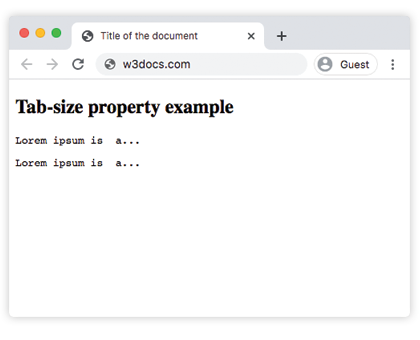
In the given example, the tab-size of the first element is 5, the one of the second element is 20.