The white-space property specifies how the white space inside an element is handled. A white space can be a sequence of spaces or a line break.
This property can be applied to any inline content within an element.
Extra specified spaces are collapsed into one, newlines are removed, and lines are broken and wrap where necessary to fit inside their container.
| Initial Value | normal |
| Applies to | Inline-level and table-cell elements, also applies to ::first-letter and ::first-line. |
| Inherited | No. |
| Animatable | Yes. The vertical-align is animatable. |
| Version | CSS1 |
| DOM Syntax | object.style.whiteSpace = “nowrap”; |
Syntax
white-space: normal | nowrap | pre | pre-line | pre-wrap | break-space | initial | inherit;Example of the white-space property with the “normal” value:
<!DOCTYPE html>
<html>
  <head>
    <title>Title of the document</title>
    <style>
      div {
        white-space: normal;
      }
    </style>
  </head>
  <body>
    <h2>White-space property example</h2>
    <div>
      Lorem Ipsum is simply dummy text.Lorem Ipsum is simply dummy text. Lorem Ipsum is simply dummy text. Lorem Ipsum is simply dummy text. Lorem Ipsum is simply dummy text. Lorem Ipsum is simply dummy text. Lorem Ipsum is simply dummy text. Lorem Ipsum is simply dummy text.
    </div>
  </body>
</html>
Result
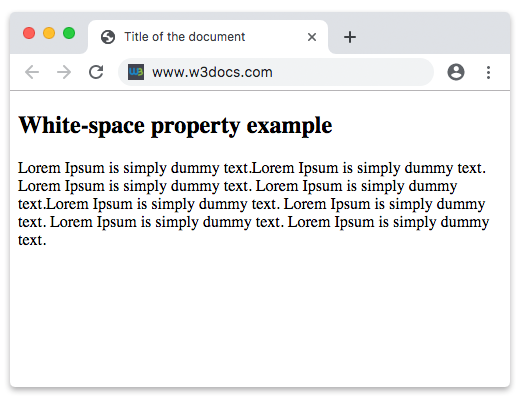
In this example, the text does not wrap to the next line.
Example of thewhite-space property with the “nowrap” value:
<!DOCTYPE html>
<html>
  <head>
    <title>Title of the document</title>
    <style>
      div {
        white-space: nowrap;
      }
    </style>
  </head>
  <body>
    <h2>White-space property example</h2>
    <div>
      Lorem Ipsum is simply dummy text.Lorem Ipsum is simply dummy text. Lorem Ipsum is simply dummy text. Lorem Ipsum is simply dummy text. Lorem Ipsum is simply dummy text. Lorem Ipsum is simply dummy text. Lorem Ipsum is simply dummy text. Lorem Ipsum is simply dummy text.
    </div>
  </body>
</html>
Example of the white-space property with the “pre-line” value:
<!DOCTYPE html>
<html>
  <head>
    <title>Title of the document</title>
    <style>
      div {
        white-space: pre-line;
      }
    </style>
  </head>
  <body>
    <h2>White-space property example</h2>
    <div>
      Lorem Ipsum is simply dummy text.Lorem Ipsum is simply dummy text. Lorem Ipsum is simply dummy text. Lorem Ipsum is simply dummy text.Lorem Ipsum is simply dummy text. Lorem Ipsum is simply dummy text. Lorem Ipsum is simply dummy text. Lorem Ipsum is simply dummy text.
    </div>
  </body>
</html>
In the next example, you can see the difference between the “nowrap”, “normal” and “pre-wrap” values.
Example of the white-space property with three values:
<!DOCTYPE html>
<html>
  <head>
    <title>Title of the document</title>
    <style>
      p.t1 {
        white-space: nowrap;
      }
      p.t2 {
        white-space: normal;
      }
      p.t3 {
        white-space: pre-wrap;
      }
    </style>
  </head>
  <body>
    <h2>White-space property example</h2>
    <h3>white-space: nowrap;</h3>
    <p class="t1">
      Lorem Ipsum is dummy text. Lorem Ipsum is dummied text. Lorem Ipsum is dummied text. Lorem Ipsum is dummied text. Lorem Ipsum is simply dummy text. Lorem Ipsum is simply dummy text.
    </p>
    <h3>white-space: normal;</h3>
    <p class="t2">
      Lorem Ipsum is dummied text. Lorem Ipsum is dummied text. Lorem Ipsum is dummied text. Lorem Ipsum is dummied text. Lorem Ipsum is simply dummy text. Lorem Ipsum is simply dummy text.
    </p>
    <h3>white-space: pre-line;</h3>
    <p class="t3">
      Lorem Ipsum is dummied text. Lorem Ipsum is dummied text. Lorem Ipsum is dummied text. Lorem Ipsum is dummied text. Lorem Ipsum is simply dummy text. Lorem Ipsum is simply dummy text.
    </p>
  </body>
</html>