The CSS width property sets the width of an element. The width does not include border, padding or margin.
The width property applies to all elements except non-replaced or inline elements, table rows and row groups (i.e. <thead>, <tfoot> and <tbody>).
The property takes a CSS length (px, pt, em, and so on), a percentage, or the keyword auto.
We should mention that the percentage used for this property is based on the parent element (i.e. the width of the containing block). For absolutely positioned elements having a containing block based on a block container element, the percentage is calculated regarding the width of the element’s padding box.
The width property can be overridden by the properties of min-width and max-width.
Negative length values are illegal.
Many values of the width property added in the CSS3 specification are still experimental.
| Initial Value | auto |
| Applies to | All elements. |
| Inherited | No. |
| Animatable | Yes. The width of an element is animatable. |
| Version | CSS1 |
| DOM Syntax | Object.style.width = “300px”; |
Syntax
width: auto | lenght | initial | inherit;Example of the width property specified in “%”:
<!DOCTYPE html>
<html>
  <head>
    <title>Title of the document</title>
    <style>
      div {
        width: 50%;
        background-color: #1c87c9;
      }
    </style>
  </head>
  <body>
    <h2>Width property example</h2>
    <div>
      Lorem Ipsum is simply dummy text of the printing and typesetting industry. Lorem Ipsum has been the industry's standard dummy text ever since the 1500s, when an unknown printer took a galley of type and scrambled it to make a type specimen book.
    </div>
  </body>
</html>Result
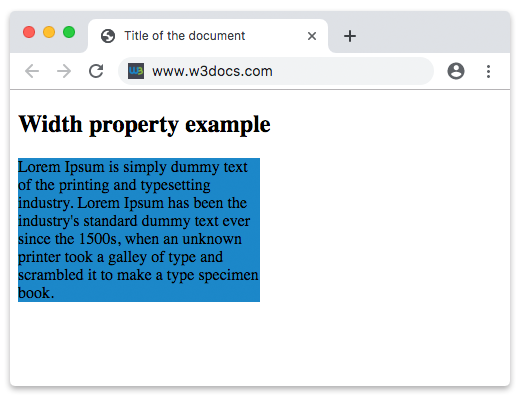
In the given example the width of the text is 50%.
In the following example, the width of the first element is 250px and the one of the second element is 25em:
Example of the width property specified in “px” and “em”:
<!DOCTYPE html>
<html>
  <head>
    <title>Title of the document</title>
    <style>
      div.t1 {
        width: 250px;
        border: 1px solid black;
        background-color: #1c87c9;
      }
      div.t2 {
        width: 25em;
        border: 1px solid black;
        background-color: #8ebf42;
      }
    </style>
  </head>
  <body>
    <h2>Width property example</h2>
    <h3>width: 250px</h3>
    <div class="t1">
      Lorem Ipsum is dummy text of the printing and typesetting industry. Lorem Ipsum has been the industry's standard dummy text ever since the 1500s when an unknown printer took a galley of type and scrambled it to make a type specimen book. It has survived not only five centuries, but also the leap into electronic typesetting, remaining essentially unchanged. It was popularised in the 1960s with the release of Letraset sheets containing Lorem Ipsum passages, and more recently with desktop publishing software like Aldus PageMaker including versions of Lorem Ipsum.
    </div>
    <h3>width: 25em</h3>
    <div class="t2">
      Lorem Ipsum is simply dummied text of the printing and typesetting industry. Lorem Ipsum has been the industry's standard dummy text ever since the 1500s when an unknown printer took a galley of type and scrambled it to make a type specimen book. It has survived not only five centuries, but also the leap into electronic typesetting, remaining essentially unchanged. It was popularised in the 1960s with the release of Letraset sheets containing Lorem Ipsum passages, and more recently with desktop publishing software like Aldus PageMaker including versions of Lorem Ipsum.
    </div>
  </body>
</html>