The <br> tag in HTML document is used to create a line break in a text.
It is generally used in poem or address where the division of line is necessary. It is an empty tag, which means it does not need a company of end tag. If you place the <br> tag in the HTML code, then it works the same as pressing the enter key in a word processor.
Syntax
Text <br> Text Difference between HTML <br> and <br/>
You can use HTML br tag two ways: <br> or <br/>. It is recommended to use closed br tag <br/> because it is supported in HTML and XHTML both.
Example 1:
<!DOCTYPE HTML>
<html>
<head>
<title>
Example of BR tag
</title>
</head>
<body>
<p>If you want to break a line <br> in a paragraph, <br> use the BR element in <br> your HTML document. </p>
</body>
</html>
Output:

Example 2: The following example uses the <br> tag in the address:
<!DOCTYPE HTML>
<html>
<head>
<title>
Example of BR tag in Address
</title>
</head>
<body> <font color="green"> <!-The color attribute displays the color of following address in green -->
<p>Central park <br>
D.M Road, <br>
New Delhi, <br>
India <br>
</body>
</html>
Output:
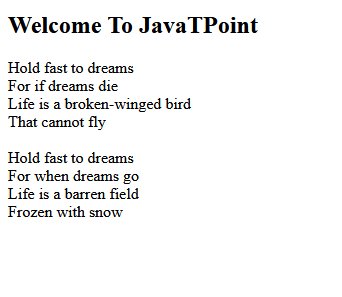
Example 2: The following example uses the <br> tag in the poem:
<!DOCTYPE HTML>
<html>
<head>
<title>
Example of BR tag in Poem
</title>
</head>
<body> <font color="green">
<center> Dreams

</center>
Hold fast to dreams <br>

For if dreams die <br>

Life is a broken-winged bird <br>

That cannot fly. <br>

Hold fast to dreams <br>

For when dreams go <br>

Life is a barren field <br>

Frozen with snow. <br>
</body>
</html>
Output:

Browser Support
| Element |  Chrome Chrome |  IE IE |  Firefox Firefox |  Opera Opera |  Safari Safari |
| <br> | Yes | Yes | Yes | Yes | Yes |