HTML <cite> tag specifies a citation, it provides reference or title to a creative work, quoted content, books, websites, a research paper, a blog-spot, painting, etc.
The main purpose of adding <cite> element is to provide or identify the source of the quote or any content.
The content written between <cite> tag renders in the italic form on the browser, and it can be overridden using CSS in your HTML document.
Syntax:
<cite>Cited Content.......</cite> Following are some specifications about the <cite> tag
| Display | Inline |
| Start tag/End tag | Both start and End tag |
| Usage | textual |
Example:
<!DOCTYPE html>
<html>
<head>
    <title>Cite Tag</title>
 </head>
 <body>
    <h2>Example of cite tag</h2>
    <img src="https://static.javatpoint.com/htmlpages/images/book.jpg" height="150" width="120">
              <p>A famous book:
                <cite> Learning Web Design</cite> written by Jennifer Niederst Robbins
              </p>
 </body>
</html>
Output:
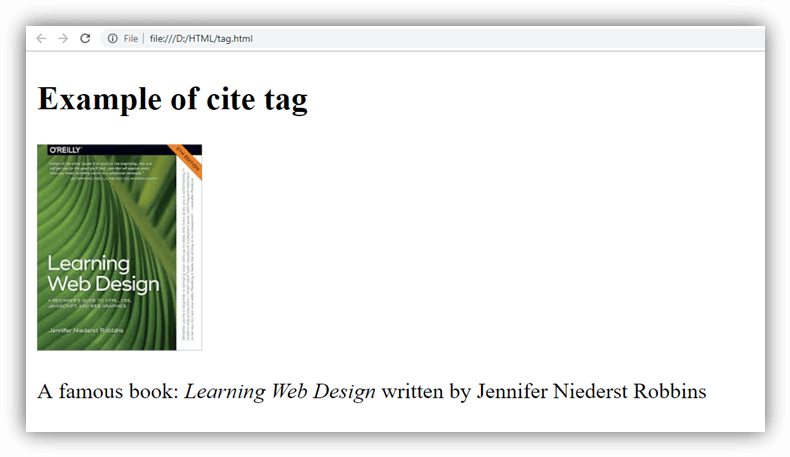
Attribute
Tag-specific attribute
HTML <cite> tag does not contain any specific attribute.
Global Attribute
HTML <cite> tag supports all Global attributes in HTML
Event Attribute
HTML <cite> tag supports all Event attributes in HTML.
Supporting Browsers
| Element |  Chrome Chrome |  IE IE |  Firefox Firefox |  Opera Opera |  Safari Safari |
| <cite> | Yes | Yes | Yes | Yes | Yes |