In this tutorial you will learn how to create elegant tables with Bootstrap.
What is Table?
The HTML tables are used to present data in grid manner like row and columns. Using Bootstrap you can greatly improve the appearance of table in a quick and easy way.
See the tutorial on HTML tables to learn more about tables.
Creating a Simple Table with Bootstrap
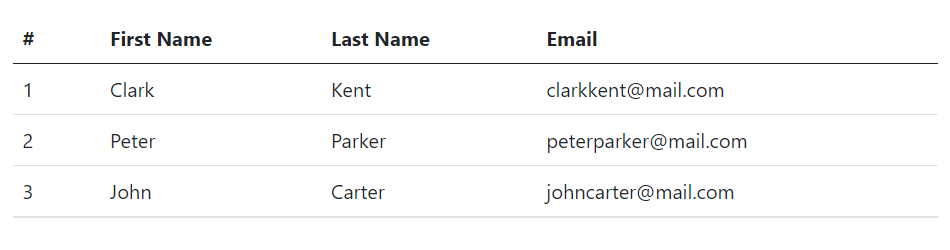
You can create tables with basic styling that has horizontal dividers and small cell padding (8px by default), by just adding the Bootstrap’s class .table to the <table> element.
Example
<table class="table">
    <thead>
        <tr>
            <th>#</th>
            <th>First Name</th>
            <th>Last Name</th>
            <th>Email</th>
        </tr>
    </thead>
    <tbody>
        <tr>
            <td>1</td>
            <td>Clark</td>
            <td>Kent</td>
            <td>clarkkent@mail.com</td>
        </tr>
        <tr>
            <td>2</td>
            <td>Peter</td>
            <td>Parker</td>
            <td>peterparker@mail.com</td>
        </tr>
        <tr>
            <td>3</td>
            <td>John</td>
            <td>Carter</td>
            <td>johncarter@mail.com</td>
        </tr>
    </tbody>
</table>
— The output of the above example will look something like this: