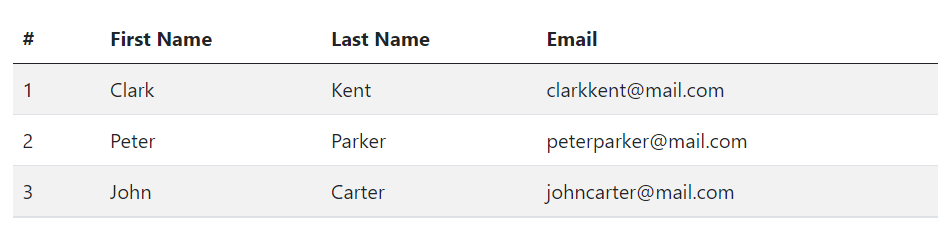
You can also add zebra-striping to the table rows within the <tbody> by simply adding an additional class .table-striped to the .table base class, as shown below:
Example
<table class="table table-striped">
    <thead>
        <tr>
            <th>#</th>
            <th>First Name</th>
            <th>Last Name</th>
            <th>Email</th>
        </tr>
    </thead>
    <tbody>
        <tr>
            <td>1</td>
            <td>Clark</td>
            <td>Kent</td>
            <td>clarkkent@mail.com</td>
        </tr>
        <tr>
            <td>2</td>
            <td>Peter</td>
            <td>Parker</td>
            <td>peterparker@mail.com</td>
        </tr>
        <tr>
            <td>3</td>
            <td>John</td>
            <td>Carter</td>
            <td>johncarter@mail.com</td>
        </tr>
    </tbody>
</table>
— The output of the above example will look something like this:
Creating Bordered Tables
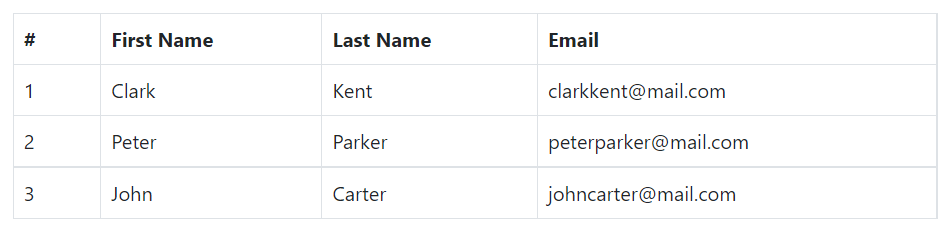
You can add borders on all sides of the table and cells by adding the modifier class .table-bordered to the .table base class, as shown in the following example:
Example
<table class="table table-bordered">
    <thead>
        <tr>
            <th>#</th>
            <th>First Name</th>
            <th>Last Name</th>
            <th>Email</th>
        </tr>
    </thead>
    <tbody>
        <tr>
            <td>1</td>
            <td>Clark</td>
            <td>Kent</td>
            <td>clarkkent@mail.com</td>
        </tr>
        <tr>
            <td>2</td>
            <td>Peter</td>
            <td>Parker</td>
            <td>peterparker@mail.com</td>
        </tr>
        <tr>
            <td>3</td>
            <td>John</td>
            <td>Carter</td>
            <td>johncarter@mail.com</td>
        </tr>
    </tbody>
</table>
— The output of the above example will look something like this:
Creating Borderless Tables
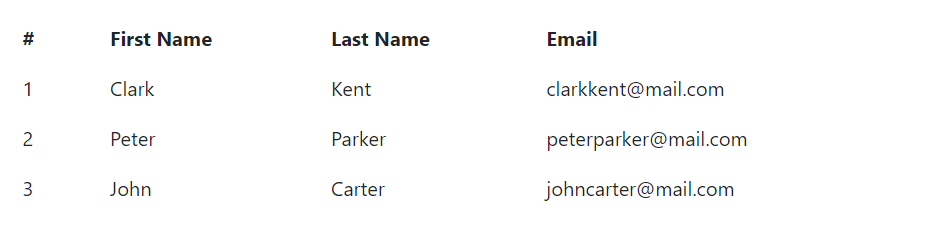
You can also create borderless tables using the class .table-borderless on the .table element.
Example
<table class="table table-borderless">
    <thead>
        <tr>
            <th>#</th>
            <th>First Name</th>
            <th>Last Name</th>
            <th>Email</th>
        </tr>
    </thead>
    <tbody>
        <tr>
            <td>1</td>
            <td>Clark</td>
            <td>Kent</td>
            <td>clarkkent@mail.com</td>
        </tr>
        <tr>
            <td>2</td>
            <td>Peter</td>
            <td>Parker</td>
            <td>peterparker@mail.com</td>
        </tr>
        <tr>
            <td>3</td>
            <td>John</td>
            <td>Carter</td>
            <td>johncarter@mail.com</td>
        </tr>
    </tbody>
</table>
— The output of the above example will look something like this: