In this tutorial you will learn how to style HTML lists with Bootstrap.
Creating Lists With Bootstrap
You can create three different types of HTML lists:
- Unordered lists — A list of items in which the order does not explicitly matter. The list items in unordered lists are marked with bullets, e.g. ⚬, ●, etc.
- Ordered lists — A list of items in which the order does explicitly matter. The list items in ordered lists are marked with numbers, e.g. 1, ⅵ, etc.
- Definition list — A list of terms with their associated descriptions.
See the tutorial on HTML lists, to learn more about the different lists types.
Unstyled Ordered and Unordered Lists
Sometimes you might need to remove the default styling form the list items. You can do this by simply applying the class .list-unstyled to the respective <ul> or <ol> elements.
Example
<ul class="list-unstyled">
    <li>Home</li>
    <li>Products
        <ul>
            <li>Gadgets</li>
            <li>Accessories</li>
        </ul>
    </li>
    <li>About Us</li>
    <li>Contact</li>
</ul>
— The output of the above example will look something like this:
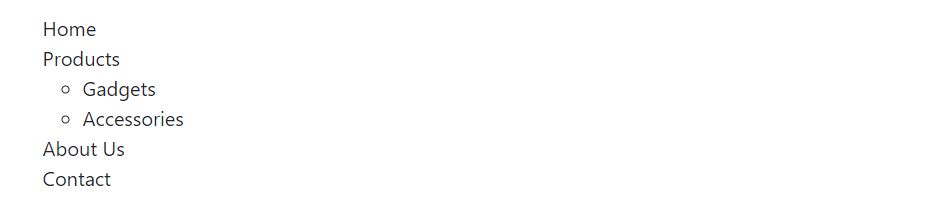
Note: The .list-unstyled class removes the default list-style and left padding only from the list items which are immediate children of the <ul> or <ol> element.