HTML <dfn> tag also called as HTML definition tag. It is used to represent the term which is defined within context of definition phrase or sentence in an HTML document. The defining instance term usually the first term in a document.
If a term is contained within the <dfn> element then browser understands that nearby text is the definition of the term.
Syntax
<dfn>Content......... </dfn> Following are some specifications about the HTML <dfn> tag
| Display | Inline |
| Start tag/End tag | Both Start and End tag |
| Usage | Textual |
Example
<!DOCTYPE html>
<html>
<head>
<title>Dfn tag</title>
</head>
<body>
<h2>Example of dfn Tag</h2>
<p><dfn>HTML</dfn> A markup language for Web designing</p>
</body>
</html>
Output:

Using title attribute:
<!DOCTYPE html>
<html>
<head>
<title> Dfn tag</title>
</head>
<body>
<h2>Example of dfn Tag</h2>
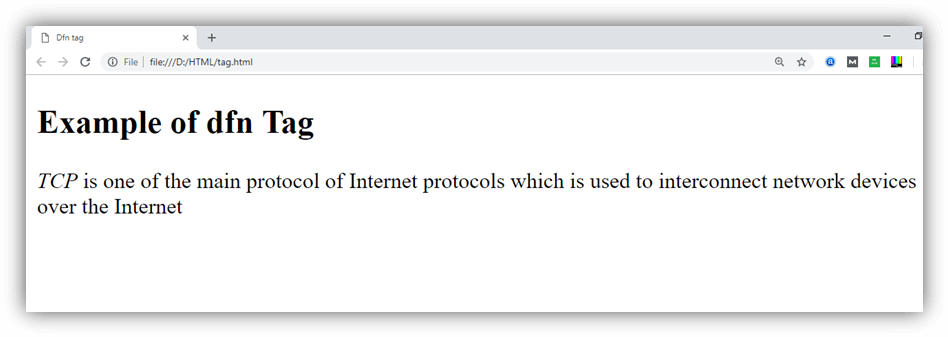
<p> <dfn title="Transmission control protocol">TCP</dfn> is one of the main protocol of Internet protocols, used to interconnect network devices over the Internet</p>
</body>
</html>
Output:
Attribute
Tag-specific attribute
| Attribute | Value | Description |
|---|---|---|
| title | It specifies the definition of the term, and it shows when mouse hover on it. |
Global attribute
HTML <dfn> tag supports the global attributes in HTML
Event attribute
HTML <dfn> tag supports the event attributes in HTML.
Supporting Browsers
| Element |  Chrome Chrome |  IE IE |  Firefox Firefox |  Opera Opera |  Safari Safari |
| <dfn> | Yes | Yes | Yes | Yes | Yes |