HTML <optgroup> tag is used to group related <options> in a drop down list within <select> element.
Using <optgroup> tag with <select> makes easier to access the dropdown list especially if list has large number of options.
Syntax:
<optgroup label=" ">........</optgroup> Following are some specifications about the HTML <optgroup> tag
| Display | Inline |
| Start tag/End tag | Both Start and End tag |
| Usage | Forms and Inputs |
Example
<!DOCTYPE html>
<html>
<head>
    <title>Optgroup Tag</title>
    <style>
        body{
            text-align: center;
        }
        select{
                      font-size:20px;
                                  font-weight:bold;
                                  color:green;
        }
    </style>
</head>
<body>
<h2>Example of optgroup tag</h2>
<label>Select your favourite brand</label><br>
<select>
          <optgroup label="Laptop Maufacturur">
        <option value="dell">Dell</option>
        <option value="hp">HP</option>
        <option value="lenovo">Lenovo</option>
        <option value="acer">Acer</option>
     </optgroup>
         <optgroup label="Mobile Manufacturer">
        <option value="apple">Apple</option>
        <option value="nokia">Nokia</option>
        <option value="samsung">Samsung</option>
        <option value="coolpad">Coolpad</option>
            </optgroup>
</select>
</body>
</html>
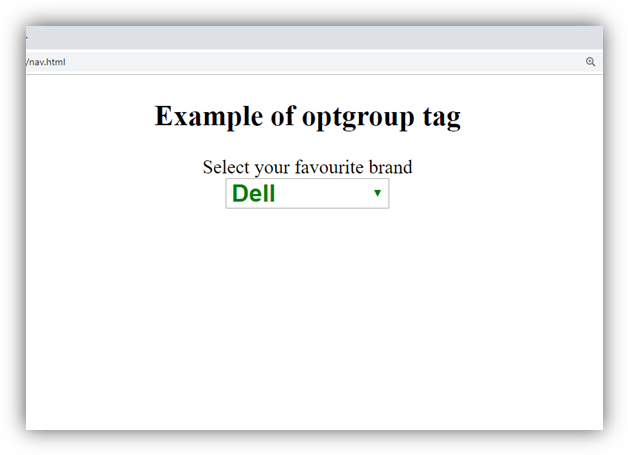
Output:
Attribute:
Tag-specific attributes:
| Attribute | Value | Description |
|---|---|---|
| disabled | disabled | If it is set then options of that optgroup will be disabled. |
| label | text | It defines the label for the group which will be displayed in the drop-down list. It is required attribute. |
Global attribute:
HTML <optgroup> tag supports the global attributes in HTML
Event attribute:
HTML <optgroup> tag supports the event attributes in HTML.