HTML <picture> tag is used in responsive web designing where we need to load the different images based on their viewport, height, width, orientation, and pixel density.
The <picture> tag contains one or more <source> elements and one <img> elements.
According to the viewport, the matching image will be loaded from different <source> tag, and if no source contains the matching image, then the default image present in <img> tag will be displayed on the browser.
This tag is a new tag in HTML5.
Syntax
<picture>
    <source srcset="" media="">
    <img src="">
</picture>
Following are some specifications about the HTML <picture> tag
| Display | Inline |
| Start tag/End tag | Both Start and End tag |
| Usage | Image |
Example
<!DOCTYPE html>
<html>
<head>
    <title>Picture Tag</title>
    <style>
    body{
        text-align: center;
                   }
       p{
         font-size: bold;
         font-size: 20px;
       color: green;
                    }
    </style>
</head>
<body>
<h2>Example of picture tag</h2>
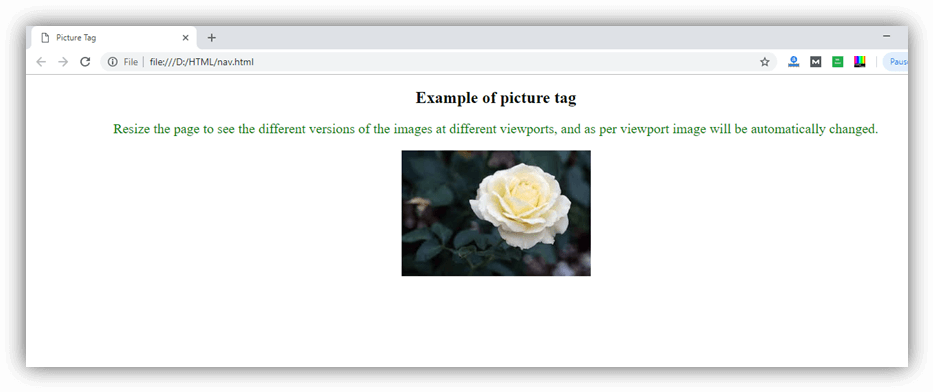
<p>Resize the page to see the different versions of the images at different viewports, and as per viewport image will be automatically changed.</p>
<picture>
    <source srcset="download1.jpg" media="(min-width: 750px)">
    <source srcset="pic2.jpg" media="(min-width: 450px)">
    <img srcset="rose.jpg" alt="default image" style="width: auto;">
</picture>
</body>
</html>
Output:
Attribute:
Tag-specific attributes:
| Attribute | Value | Description |
|---|---|---|
| media | media_query | It defines and accept any media query which can be defined in CSS. |
srcset | URL | It defines the URL of the image which can be used for different situations. (Required) |
| type | video/ogg video/mp4 video/webM audio/ogg audio/mpeg | It determines the MIME type |
| src | URL | It specifies the location of the image. |
Global attribute:
HTML <picture> tag supports the global attributes in HTML.