HTML <select> tag is used to create a drop down list with multiple options. The <option> element is nested within <select> tag for defining options in a list.
The <optgroup> element can be used for grouping related options in a list.
If you want to send data to server then use <select> tag within <form> element.
Syntax
<select>
     <option></option>
 </select>
Following are some specifications about the HTML <select> tag
| Display | Inline |
| Start tag/End tag | Both Start and End tag |
| Usage | Input |
Example
<!DOCTYPE html>
<html>
<head>
    <title>HTML select Tag</title>
    <style>
        .img{
            background-image: url("india.jpg");
            background-size: cover;
            background-position: center;
            height: 100%;
            width: 100%;
            background-repeat: no-repeat;
             position: fixed;
             top: 0;
             left: 0;
             }
    </style>
</head>
<body>
    <div class="img">
 <h2>Example of select tag</h2>
 <form>
    <label>Choose your Favorite city in India</label>
    <select>
        <option>New Delhi</option>
        <option>Indore</option>
        <option>Jaipur</option>
        <option>Jodhpur</option>
        <option>Chandigarh</option>
        <option>Mumbai</option>
        <option>Bengaluru</option>
        <option>Lucknow</option>
        <option>Amritsar</option>
  </select>
 </form>
</div>
</body>
</html>
Output:
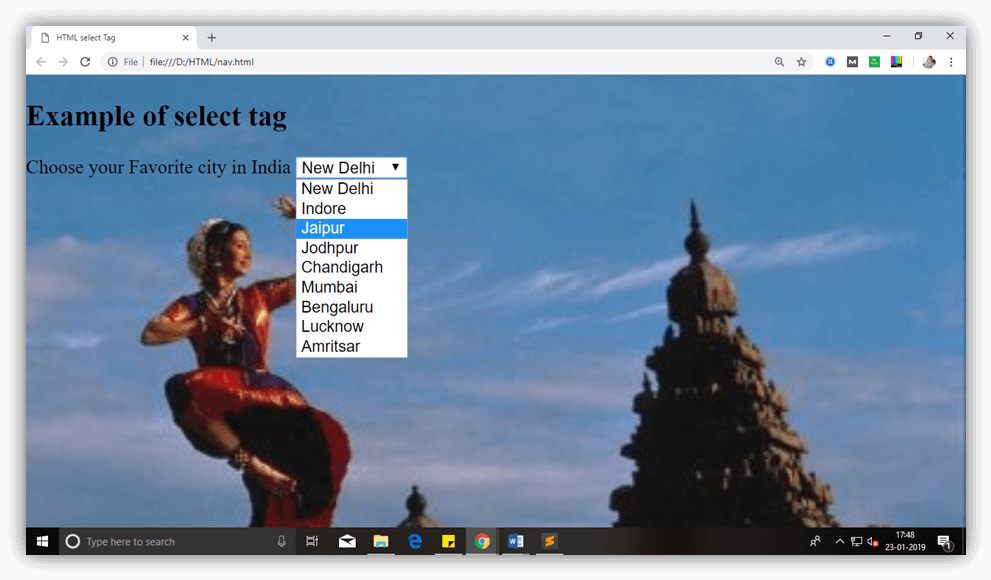
Attribute:
Tag-specific attributes:
| Attribute | Value | Description |
|---|---|---|
| autofocus | autofocus | This attribute let automatically focused the drop-down list on page load. |
| disabled | disabled | It is used to disable the control and user cannot interact with the drop-down list. |
| form | form-id | It specifies one or more forms, to which select belong to. |
| multiple | multiple | If it sets then a user can select multiple options from the list. |
| name | name | It determines the name for the drop-down list. |
| required | required | If it specified, user must select that field before submitting the form. |
| size | number | It specifies the visible number of options in the list. |
Global attribute:
The <select> tag supports the global attributes in HTML.
Event attribute:
The <select> tag supports the event attributes in HTML.