HTML <small> tag makes text font by one size smaller than the document?s base font size (Such as large to medium, medium to small, etc.)
In HTML5, <small> tag is used for identifying secondary importance such as copyright, side comments, and legal notices.
Syntax:
<small>Write your content here...... <small> Following are some specifications about the HTML <small> tag
| Display | Inline |
| Start tag/End tag | Both Start and End tag |
| Usage | textual |
Example
<!DOCTYPE html>
<html>
<head>
<title>HTML small tag</title>
</head>
<body>
 <h2>Example of small tag</h2>
 <p style="color: green;">This is normal font size.....
   <small style="color: blue;">It is smaller than previous...
       <small style="color: red;">It is smallest.</small>
   </small>
 </p>
</body>
</html>
Output:
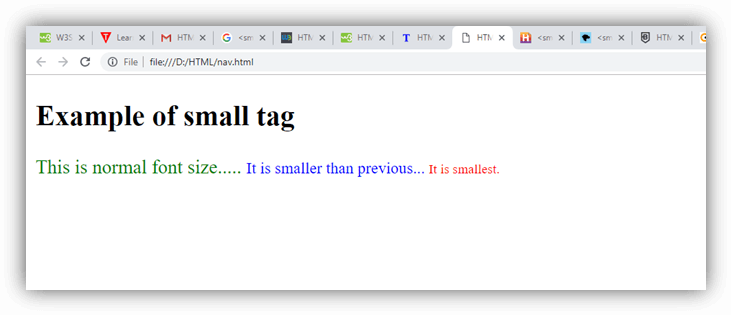
Attribute:
Tag-specific attributes:
The <small> tag does not contain any specific attribute.
Global attribute:
The <small> tag supports the Global attributes in HTML.
Event attribute:
The <small> tag supports the Event attributes in HTML.