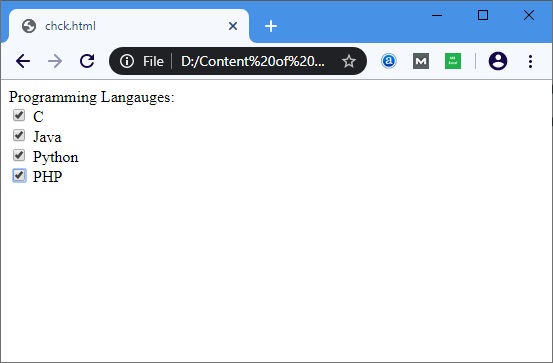
The HTML <checkbox> tag is used to define the square boxes. It is a form element which allows users to select one or more options from the given options.
It is created by the type attribute of the <input> element as shown in the following syntax:
<input type="checkbox" name="field name" value="Initial value"> If we want to select any checkbox by default, then we have to set the checked attribute with the “yes” value as described in the following syntax:
<input type="checkbox" name="field name" value="Initial value" checked="yes"> Example:
<html>
<head>
</head>
<body>
<form>
Programming Languages: <br>
              <input type="checkbox" id="C" name="C" value="C"/>
                 <label>C</label> <br>
              <input type="checkbox" id="Java" name="Java" value="Java" checked=?yes?/>
                 <label>Java</label> <br>
              <input type="checkbox" id="Python" name="Python" value="Python"/>
                 <label>Python</label> <br>
         <input type="checkbox" id="PHP" name="PHP" value="PHP"/>
                 <label>PHP</label>
</form>
</body>
</html>
Output: