Following are some different types of Forms:
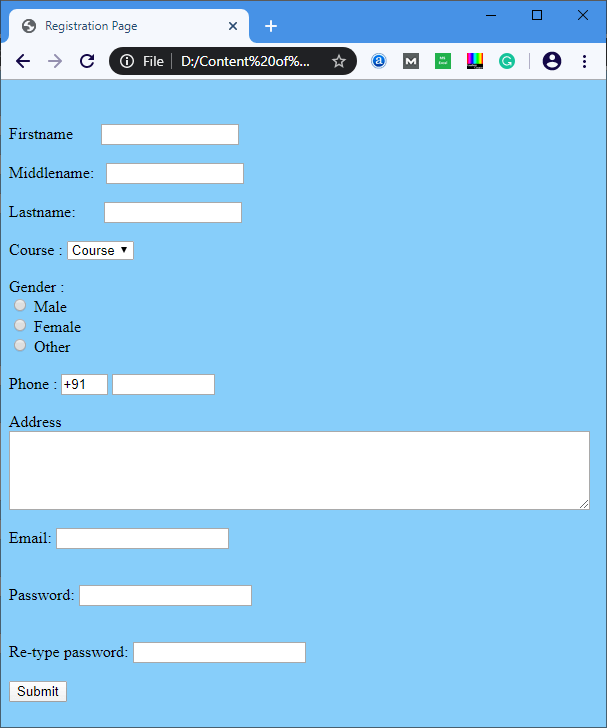
Code 1: The following code describes how to create a simple registration Page.
<Html>
<head>
<title>
Registration Page
</title>
</head>
<body bgcolor="Lightskyblue">
<br>
<br>
<form>

<label> Firstname </label>
<input type="text" name="firstname" size="15"/> <br> <br>
<label> Middlename: </label>
<input type="text" name="middlename" size="15"/> <br> <br>
<label> Lastname: </label>
<input type="text" name="lastname" size="15"/> <br> <br>

<label>
Course :
</label>
<select>
<option value="Course">Course</option>
<option value="BCA">BCA</option>
<option value="BBA">BBA</option>
<option value="B.Tech">B.Tech</option>
<option value="MBA">MBA</option>
<option value="MCA">MCA</option>
<option value="M.Tech">M.Tech</option>
</select>

<br>
<br>
<label>
Gender :
</label><br>
<input type="radio" name="male"/> Male <br>
<input type="radio" name="female"/> Female <br>
<input type="radio" name="other"/> Other
<br>
<br>

<label>
Phone :
</label>
<input type="text" name="country code"  value="+91" size="2"/>
<input type="text" name="phone" size="10"/> <br> <br>
Address
<br>
<textarea cols="80" rows="5" value="address">
</textarea>
<br> <br>
Email:
<input type="email" id="email" name="email"/> <br>
<br> <br>
Password:
<input type="Password" id="pass" name="pass"> <br>
<br> <br>
Re-type password:
<input type="Password" id="repass" name="repass"> <br> <br>
<input type="button" value="Submit"/>
</form>
</body>
</html>
Output:
Code 2: The following code describes how to create a responsive registration form with the use of CSS.
<!DOCTYPE html>
<html>
<head>
<meta name="viewport" content="width=device-width, initial-scale=1">
<style>
body{
  font-family: Calibri, Helvetica, sans-serif;
  background-color: pink;
}
.container {
    padding: 50px;
  background-color: lightblue;
}

input[type=text], input[type=password], textarea {
  width: 100%;
  padding: 15px;
  margin: 5px 0 22px 0;
  display: inline-block;
  border: none;
  background: #f1f1f1;
}
input[type=text]:focus, input[type=password]:focus {
  background-color: orange;
  outline: none;
}
 div {
            padding: 10px 0;
         }
hr {
  border: 1px solid #f1f1f1;
  margin-bottom: 25px;
}
.registerbtn {
  background-color: #4CAF50;
  color: white;
  padding: 16px 20px;
  margin: 8px 0;
  border: none;
  cursor: pointer;
  width: 100%;
  opacity: 0.9;
}
.registerbtn:hover {
  opacity: 1;
}
</style>
</head>
<body>
<form>
  <div class="container">
  <center>  <h1> Student Registeration Form</h1> </center>
  <hr>
  <label> Firstname </label>
<input type="text" name="firstname" placeholder= "Firstname" size="15" required />
<label> Middlename: </label>
<input type="text" name="middlename" placeholder="Middlename" size="15" required />
<label> Lastname: </label>
<input type="text" name="lastname" placeholder="Lastname" size="15"required />
<div>
<label>
Course :
</label>

<select>
<option value="Course">Course</option>
<option value="BCA">BCA</option>
<option value="BBA">BBA</option>
<option value="B.Tech">B.Tech</option>
<option value="MBA">MBA</option>
<option value="MCA">MCA</option>
<option value="M.Tech">M.Tech</option>
</select>
</div>
<div>
<label>
Gender :
</label><br>
<input type="radio" value="Male" name="gender" checked > Male
<input type="radio" value="Female" name="gender"> Female
<input type="radio" value="Other" name="gender"> Other

</div>
<label>
Phone :
</label>
<input type="text" name="country code" placeholder="Country Code"  value="+91" size="2"/>
<input type="text" name="phone" placeholder="phone no." size="10"/ required>
Current Address :
<textarea cols="80" rows="5" placeholder="Current Address" value="address" required>
</textarea>
 <label for="email"><b>Email</b></label>
 <input type="text" placeholder="Enter Email" name="email" required>

    <label for="psw"><b>Password</b></label>
    <input type="password" placeholder="Enter Password" name="psw" required>

    <label for="psw-repeat"><b>Re-type Password</b></label>
    <input type="password" placeholder="Retype Password" name="psw-repeat" required>
    <button type="submit" class="registerbtn">Register</button>
</form>
</body>
</html>
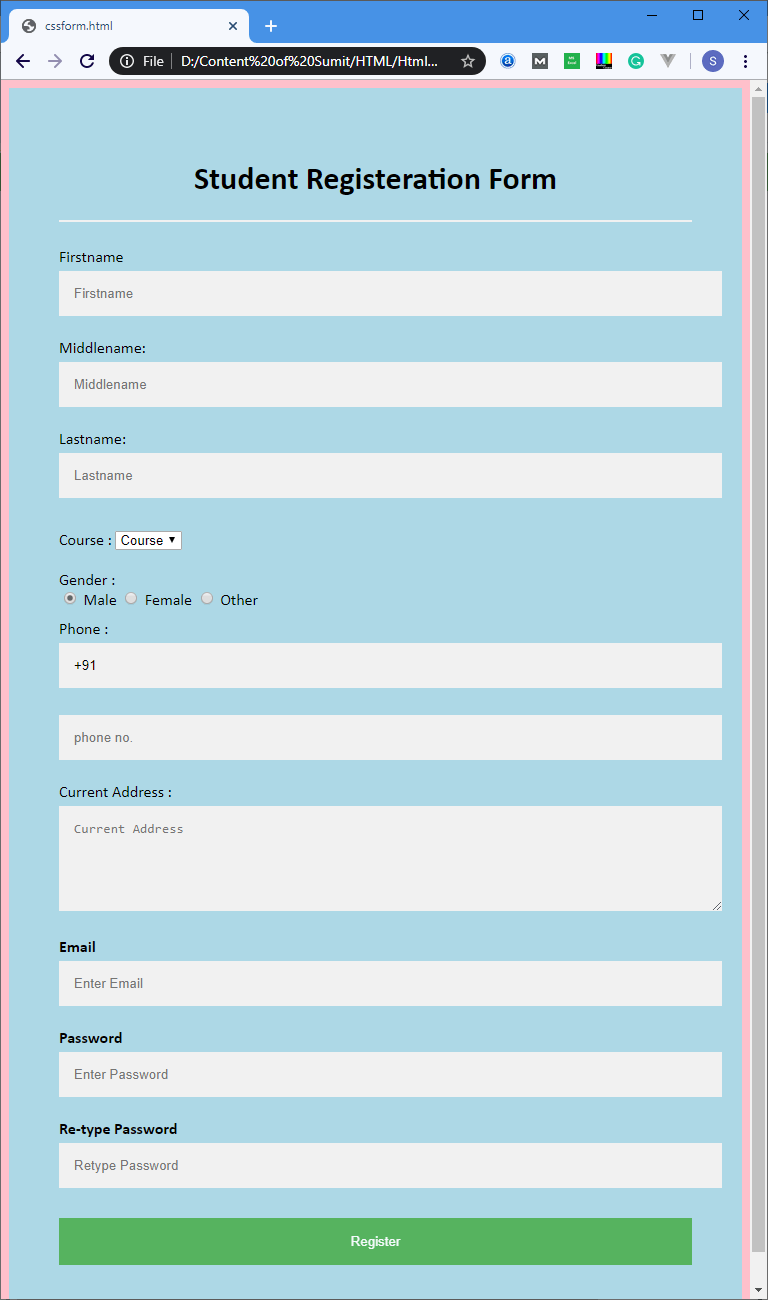
Output: