If we want to move a text in Html, we have to follow the steps which are given below. Using these steps, we can easily move the text.
Step 1: Firstly, we have to type the Html code in any text editor or open the existing Html file in the text editor in which we want to move the text.
<!Doctype Html>
<Html>
<Head>
<Title>
Move the text
</Title>
</Head>
<Body>
Hello User!... <br> <center>
You are at google Site!!!.....
</Body>
</Html>
Step 2: Now, we have to place the cursor before that text which we want to move. And, then we have to define the <marquee> tag, which is used for moving the text on the web page. So, type the open <marquee> tag before the text we want to move and close the <marquee> tag just after that text.
<marquee>
Any Text
</marquee>
Step 3: By default, the text moves from right to left direction on the web page. If we want to specify the direction, then we have to specify the direction attribute in the <marquee> tag.
<marquee direction="right">
Any Text
</marquee>
Step 4: If we want to move the text alternatively left to right then right to left, then we have to specify the behavior attribute in the <marquee> tag.
<marquee direction="right" behavior="alternate">
Any text
</marquee>
Step 5: If we want to specify the background of that text which is moving on the web page. Then, we have to use the background property in the style attribute as shown in the following block:
<marquee direction="right" behavior="alternate" style="background:blue;" >
Any text
</marquee>
Step 6: If we want to specify the border then we have to use the border property in the style attribute.
<marquee direction="right" behavior="alternate" style="border:RED 3px SOLID" >
Any text
</marquee>
Step 7: And, at last, we have to save the Html file and then run the file in the browser.
<!Doctype Html>
<Html>
<Head>
<Title>
Move the text
</Title>
</Head>
<Body>
Hello User!... <br> <center>
<marquee direction="right" behavior="alternate" style="background:blue;border:RED 3px SOLID" >
You are at JavaTpoint Site!!!.....
</marquee>
</Body>
</Html>
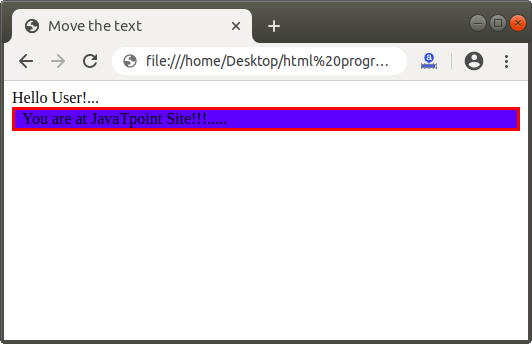
The output of above Html code is shown in the following screenshot: