The span is a tag in Html. Html <span> tag is used for grouping the inline elements and applying the style to them. This tag applies the styles by using the class or id attributes. This tag is similar to the Html <div> tag, but it is an inline tag. This tag is used at that time when there is no other semantic tag is present to use.
<span> tag is a paired tag, i.e., it has open as well as close tag, so it is mandatory to close this tag.
We can easily understand the <span> tag by the examples. So, we will provide the following various examples.
Example 1: The following example uses the span tag with the inline style attribute.
<!Doctype Html>
<Html>
<Head>
<Title>
Use inline Style in span tag
</Title>
</Head>
<Body>
Hello User!...
<center>
<p><span style = "color:blue;">
You are at JavaTpoint Site....
</span>
</p>
<p><span style = "color:blue;">
You are at JavaTpoint Site....<span style = "color:orange;"> This page describes what is span and how to use span in Html</span>
Ok... User.
</span>
</p>
</center>
</Body>
</Html>
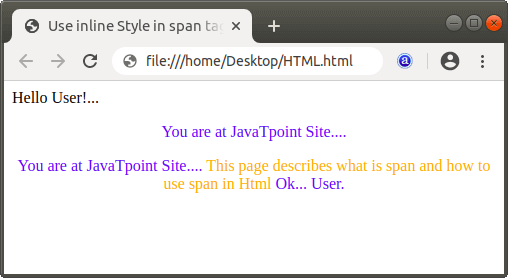
The output of above Html code is shown in the following screenshot:
Example 2: The following example uses the span tag with the internal CSS.
<!Doctype Html>
<Html>
<Head>
<Title>
Use CSS in span tag
</Title>
<style type=text/css>
span{
color: green;
font-size: 20px;
text-decoration: underline;
font-weight: bold;
}
</style>
</Head>
<Body>
Hello User!...
<center>
<p><span>
You are at google Site....
</span>
</p>
</center>
</Body>
</Html>
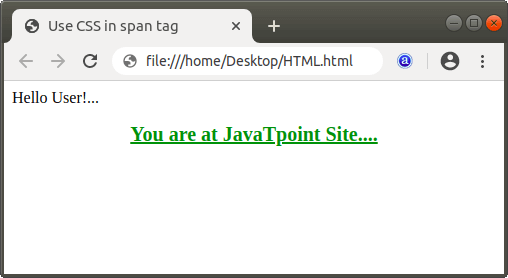
The output of above Html code is shown in the following screenshot: