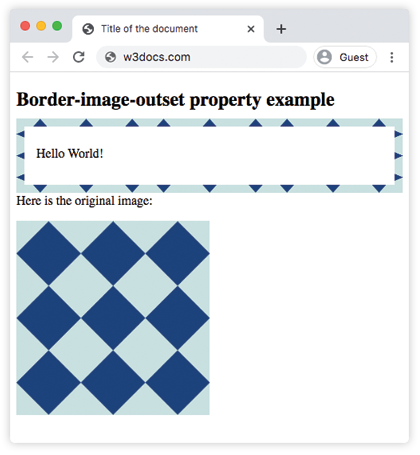
The CSS border-image-outset property specifies the amount by which the border image is extended beyond the element’s border box. It is one of the CSS3 properties. The border-image-outset property takes from one to four values.
- When one value is specified, it specifies all the four outsets.
- When two values are specified, the first one specifies the top and bottom outsets, and the second one specifies the right and left outsets.
- When three values are specified, the first one specifies the top outset, the second one specifies the right and left outsets, and the third one specifies the bottom outset.
- When four values are specified, the outsets are set on the top, right, bottom and left sides in that order.
| Initial Value | 0 |
| Applies to | All elements, except internal table elements when border-collapse is “collapse”. It also applies to ::first-letter. |
| Inherited | No. |
| Animatable | No. |
| Version | CSS3 |
| DOM Syntax | object.style.borderImageOutset = “20px”; |
Syntax
border-image-outset: length | number | initial | inherit;Example of the border-image-outset property:
<!DOCTYPE html>
<html>
  <head>
    <title>Title of the document</title>
    <style>
      .border {
        border: 10px solid transparent;
        padding: 15px;
        border-image: url("/uploads/media/default/0001/01/812bf6a749522b8185c1beee20dd99dd6c6c87da.jpeg");
        border-image-slice: 30;
        border-image-repeat: round;
        border-image-outset: 10px 0 15px;
      }
    </style>
  </head>
  <body>
    <h2>Border-image-outset property example</h2>
    <p class="border">Hello World!</p>
    <p>Here is the original image:</p>
    <img src="/uploads/media/default/0001/01/812bf6a749522b8185c1beee20dd99dd6c6c87da.jpeg" alt="Border Image" style="width:50%">
  </body>
</html>
Result