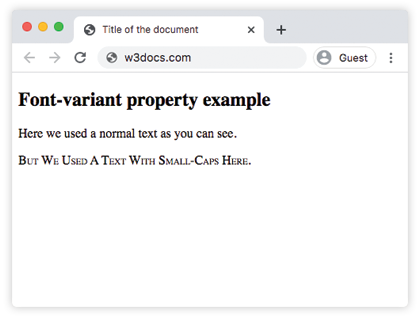
The font-variant property sets the text as normal or small-caps from a font-family.
The font-variant property can have two values: normal and small-caps. Normal is the default value. When we select small-caps for a text, it makes the lowercase letters to the uppercase letters, but these converted letters will be displayed a little smaller than normal uppercase letters.
The font-variant property can be included as part of a font shorthand declaration.
| Initial Value | normal |
| Applies to | All elements. It also applies to ::first-letter and ::first-line. |
| Inherited | Yes. |
| Animatable | No. |
| Version | CSS1 |
| DOM Syntax | object.style.fontVariant = “normal”; |
Syntax
font-variant: normal | small-caps | initial | inherit;Example of the font-variant property:
<!DOCTYPE html>
<html>
  <head>
    <title>Title of the document</title>
    <style>
      .smallcaps {
        font-variant: small-caps;
      }
    </style>
  </head>
  <body>
    <h2>Font-variant property example</h2>
    <p>Here we used a normal text as you can see.</p>
    <p class="smallcaps">But We Used A Text With Small-Caps Here.</p>
  </body>
</html>
Result