The font-weight property is used to set the boldness and thickness of the font. But there are some fonts that do not set all weights. They are only available on normal or bold.
Common fonts like Arial, Helvetica, Georgia, etc. do not have weights other than 400 and 700.
| Initial Value | normal |
| Applies to | All elements. It also applies to ::first-letter and ::first-line. |
| Inherited | Yes. |
| Animatable | Yes. |
| Version | CSS1 |
| DOM Syntax | object.style.fontWeight = “bolder”; |
Syntax
font-weight: normal | bold | bolder | lighter | number | initial | inherit;Example of the font-weight property:
<!DOCTYPE html>
<html>
  <head>
    <title>Title of the document</title>
    <style>
      p.bolder {
        font-weight: bolder;
      }
    </style>
  </head>
  <body>
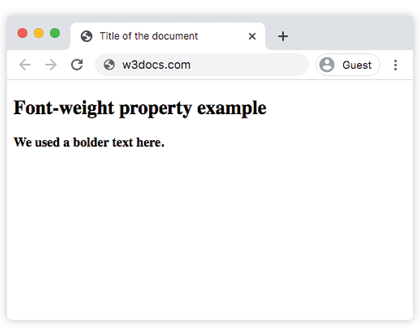
    <h2>Font-weight property example</h2>
    <p class="bolder">We used a bolder text here.</p>
  </body>
</html>
Result
Example of the font-weight property with all the values:
<!DOCTYPE html>
<html>
  <head>
    <title>Title of the document</title>
    <style>
      p.normal {
        font-weight: normal;
      }
      p.lighter {
        font-weight: lighter;
      }
      p.bold {
        font-weight: bold;
      }
      p.bolder {
        font-weight: bolder;
      }
      p.fweight {
        font-weight: 600;
      }
    </style>
  </head>
  <body>
    <h2>Font-weight property example</h2>
    <p class="normal">We used normal weight here.</p>
    <p class="lighter">This is a lighter weight.</p>
    <p class="bold">We used bold weight here.</p>
    <p class="bolder">We used a bolder text here.</p>
    <p class="fweight">We set font-weight 600 here.</p>
  </body>
</html>