The max-width property is used to set the maximum width of an element.
This property prevents the width property’s value from becoming larger than the value specified for max-width.
Meanwhile, the max-width property overrides width property and CSS min-width property overrides the max-width property.
| Initial Value | none |
| Applies to | All elements, but non-replaced inline elements, table rows, and row groups. |
| Inherited | No. |
| Animatable | Yes. Width is animatable. |
| Version | CSS2 |
| DOM Syntax | object.style.maxWidth = “500px”; |
Syntax
max-width: none | length | initial | inherit;Example of the max-width property:
<!DOCTYPE html>
<html>
  <head>
    <title>Title of the document</title>
    <style>
      div {
        max-width: 50%;
        background-color: #1c87c9;
      }
    </style>
  </head>
  <body>
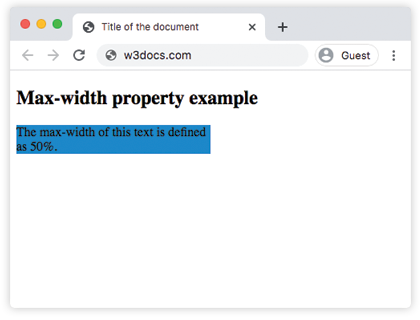
    <h2>Max-width property example</h2>
    <div>The max-width of this text is defined as 50%.</div>
  </body>
</html>
Result
Example of the max-width property defined as “px” and “em”:
<!DOCTYPE html>
<html>
  <head>
    <title>Title of the document</title>
    <style>
      div {
        max-width: 250px;
        background-color: #8ebf42;
      }
      p {
        max-width: 20em;
        background-color: #ccc;
        color: #fff;
      }
    </style>
  </head>
  <body>
    <h2>Max-width property example</h2>
    <div>The max-width of this div element is defined as 250px.</div>
    <p>The max-width of this paragraph is defined as 20em.</p>
  </body>
</html>