The text-decoration-color property is used to set the color of the text decoration. You can choose colors from here HTML colors.
The colors can be applied to such decorations, as overlines, underlines, and wavy lines, in the scope of the value of this property.
The text-decoration-color property is one of the CSS3 properties.
| Initial Value | currentColor |
| Applies to | All elements. It also applies to ::first-letter and ::first-line. |
| Inherited | No. |
| Animatable | Yes. The color is animatable. |
| Version | CSS1, CSS3 |
| DOM Syntax | object.style.textDecorationColor = “#ccc”; |
Syntax
text-decoration-color: color | initial | inherit;Example of the text-decoration-color property:
<!DOCTYPE html>
<html>
  <head>
    <title>Title of the text</title>
    <style>
      p {
        text-decoration: overline underline;
        -webkit-text-decoration-color: #8ebf42;
        text-decoration-color: #8ebf42;
      }
    </style>
  </head>
  <body>
    <h2>Text-decoration-color property example</h2>
    <p>Lorem ipsum is simply dummy text...</p>
  </body>
</html>
Result
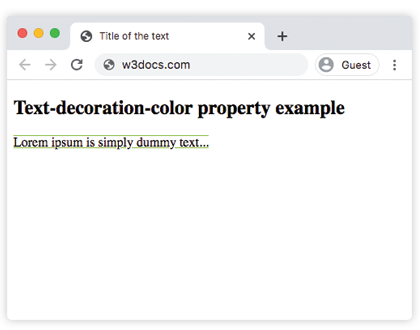
In the given example the -webkit- extension for Safari is used.
Example of the text-decoration-color property with the “underline” and “line-through” values:
<!DOCTYPE html>
<html>
  <head>
    <title>Title of the document</title>
    <style>
      p {
        text-decoration-line: underline;
        text-decoration-color: #666666;
        text-decoration-style: wavy;
      }
      s {
        text-decoration-line: line-through;
        text-decoration-color: #c91010;
      }
    </style>
  </head>
  <body>
    <h2>Text-decoration-color property example</h2>
    <p>Lorem ipsum is <s>simply dummy</s> text...</p>
  </body>
</html>