The word-spacing property allows changing the space between the words in a piece of text, not the individual characters.
This property can have either a positive or negative value. A positive value adds additional space between words, whereas a negative value removes the space between words. When the property is set to “normal”, the defined font will specify the space between the words.
If you want to remove the space between inline block elements, you can set the white-space property to “zero”.
The word-spacing property can be animatable with the transition property.
| Initial Value | normal |
| AppliExamplees to | All elements. It also applies to ::first-letter and ::first-line. |
| Inherited | Yes. |
| Animatable | Yes. Word-spacing is animatable. |
| Version | CSS1 |
| DOM Syntax | object.style.wordSpacing = “40px”; |
Syntax
word-spacing: normal | length | initial | inherit;Example of the word-spacing property with the “normal” value:
<!DOCTYPE html>
<html>
  <head>
    <title>Title of the document</title>
    <style>
      .text {
        word-spacing: normal;
      }
    </style>
  </head>
  <body>
    <h2>Word-spacing property example</h2>
    <p class="text">Lorem ipsum is simply dummy text...</p>
  </body>
</html>
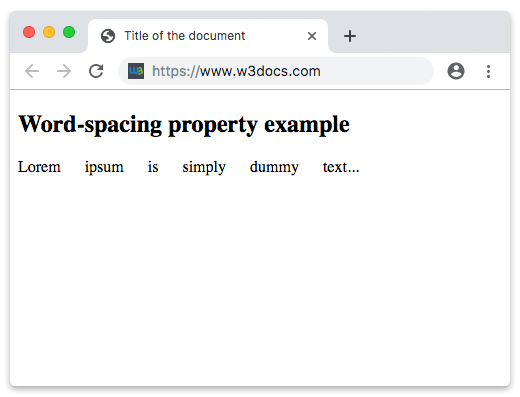
In the following example the space between the words is 20px:
Example of the word-spacing property specified in “px”:
<!DOCTYPE html>
<html>
  <head>
    <title>Title of the document</title>
    <style>
      .text {
        word-spacing: 20px;
      }
    </style>
  </head>
  <body>
    <h2>Word-spacing property example</h2>
    <p class="text">Lorem ipsum is simply dummy text...</p>
  </body>
</html>
Result