In HTML, we can align a text using the following two ways:
- Using HTML tag (<center> tag)
- Using style attribute
Using HTML tag
If we want to move a text at center position using the Html tag which is to be displayed on a web page, we have to follow the steps which are given below.
Step 1: Firstly, we have to type the Html code in any text editor or open the existing Html file in the text editor in which we want to align a text at center:
<!Doctype Html>
<Html>
<Head>
<Title>
Align a text using Html tags
</Title>
</Head>
<Body>
Hello JavaTpoint! <br>
Hello User! <br>
How are You?
</Body>
</Html>
Step 2: Now, move the cursor at the starting of that text whose alignment we want to specify as the center. And then, type the Html tag at that point.
<Center> Single Line text and statements Step 3: Then, we have to close the center tag at the end of that text which we want to place at the center position.
<center> Single Line text and statements </font> Step 4: And, at last, save the Html file and then run that file.
<!Doctype Html>
<Html>
<Head>
<Title>
Align a text using Html tags
</Title>
</Head>
<Body>
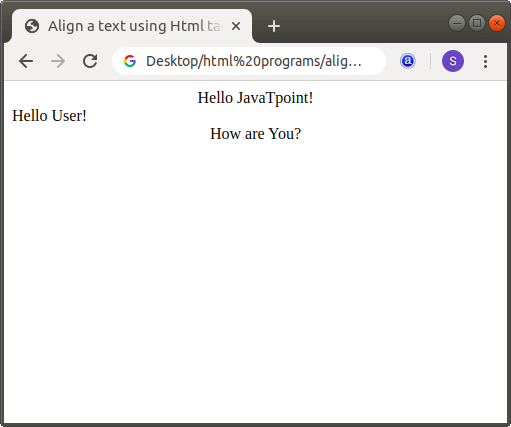
<Center>Hello JavaTpoint! <br></center>
Hello User! <br>
<center>How are You?  </center>
</Body>
</Html>
The output of above code is shown in the following screenshot:
Using Style Attribute
If we want to align a text using inline style attribute which is to be displayed on a web page, we have to follow the steps which are given below.
Step 1: Firstly, we have to type the Html code in any text editor or open the existing Html file in the text editor in which we want to use the style attribute for aligning a text or paragraph.
<!Doctype Html>
<Html>
<Head>
<Title>
Align a text or paragraph using style attribute
</Title>
</Head>
<Body>
Hello User!
JavaTpoint is the Best Site for providing education. <br>
In HTML, we can align a text using the following two ways:
1. Using HTML tag
2. Using style attribute
</Body>
</Html>
Step 2: Now, move the cursor at the starting of that text whose alignment we want to specify. And then, type the CSS style attribute within the <p> (paragraph) tag.
<p style="text-align:center/left/right;"> Any Text or paragraph Step 4: And, at last, save the Html code which changes the position of a text or a paragraph.
<!Doctype Html>
<Html>
<Head>
<Title>
Align a text or paragraph using style attribute
</Title>
</Head>
<Body>
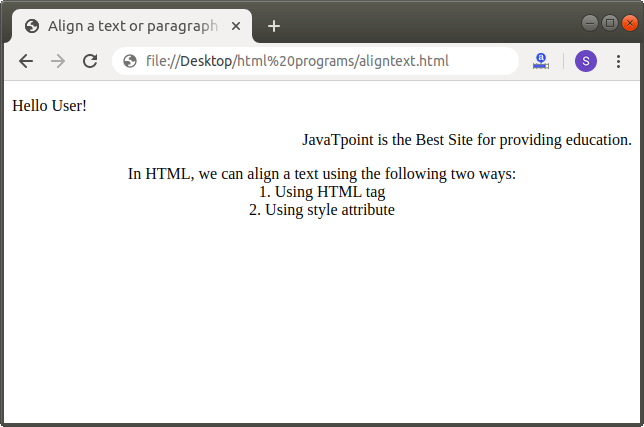
<p style="text-align:left;"> Hello User! </p>
<p style="text-align:right;"> JavaTpoint is the Best Site for providing education.
</p>
<p style="text-align:Center;"> In HTML, we can align a text using the following two ways: <br>
1. Using HTML tag  <br>
2. Using style attribute </p>
</Body>
</Html>
The output of the above Html code is shown in the following screenshot: