HTML <em> tag is used to stress emphasis the particular text within a sentence or phrase. It gives semantic meaning to the text contained within it and renders in the italic form on the browser.
Syntax:
<em>Write Important content here.....</em> Following are some specifications about the HTML <em> tag
| Display | Inline |
| Start tag/End tag | Both Start and End tag |
| Usage | Textual |
Example:
<!DOCTYPE html>
<html>
<head>
<title>Em Tag</title>
    <style>
          h2{
                color:#ff7f50;
                          }
 </style>
 </head>
 <body>
 <h2>Example of em Tag</h2>
 <p>This is <em>HTML em tag</em> and it will emphasis the <em>important text</em> of the sentence</p>
</body>
</html>
Output:
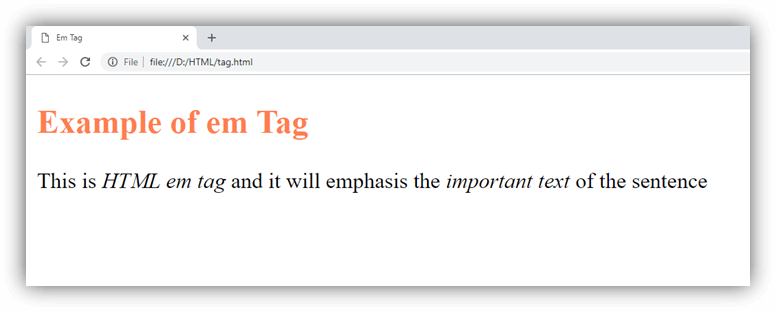
Attribute
Tag-specific attribute
The <em> tag does not contain any specific attribute in HTML.
Global attribute
The <em> tag supports the global attributes in HTML
Event attribute
The HTML <em> tag supports the event attributes in HTML.
Supporting Browsers
| Element |  Chrome Chrome |  IE IE |  Firefox Firefox |  Opera Opera |  Safari Safari |
| <em> | Yes | Yes | Yes | Yes | Yes |