HTML <font> tag is used to define the font style for the text contained within it. It defines the font size, color, and face or the text in an HTML document.
Syntax
<font size=" " color=" " face=" "> Content....</font> Following are some specifications about the HTML <font> tag
| Display | Inline |
| Start tag/End tag | Both Start and End tag |
| Usage | Font Style |
Example 1:
<!DOCTYPE html>
 <html>
 <head>
 <title>Font Tag</title>
 </head>
 <body>
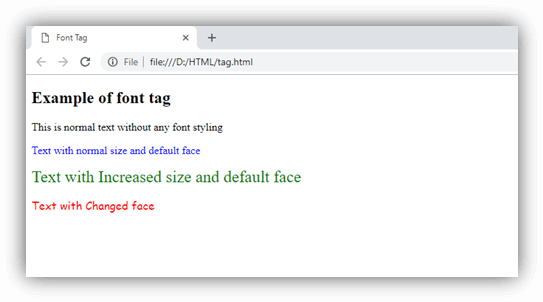
 <h2>Example of font tag</h2>
 <p>This is normal text without any font styling</p>
  <p>
    <font color="blue">Text with normal size and default face</font>
  </p>
  <p>
    <font size="5" color="green">Text with Increased size and default face</font>
  </p>
  <p>
    <font color="red" face="cursive">Text with Changed face</font>
  </p>
</body>
</html>
Output:
Using CSS
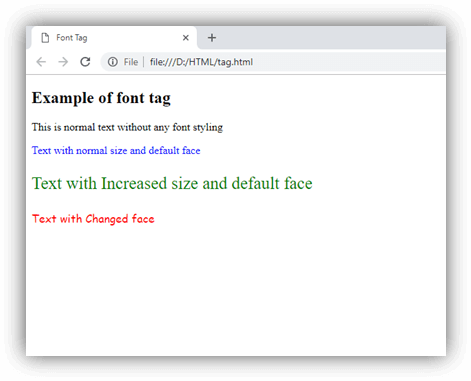
The same effect can be achieved using CSS properties as in below example:
<!DOCTYPE html>
 <html>
 <head>
 <title>Font Tag</title>
 </head>
 <body>
<h2>Change font using CSS</h2>
 <p>This is normal text without any font styling</p>
 <p style="color: blue;">Text with normal size and default face</p>
 <p style="font-size: 25px; color: green;">Text with Increased size and default face </p>
 <p style="font-family: cursive; color: red;">Text with Changed face</p>
</body>
</html>
Output:
Attribute
Tag-specific attribute
| Attribute | Value | Description |
|---|---|---|
| colod | rgb(X,X,X) #xxxxx color_name | It specifies the color of the content. (Not Supported in HTML5) |
| face | font_family | It specifies the typeface of the content. (Not Supported in HTML5) |
| size | number | It specifies the size of the content. (Not Supported in HTML5) |