HTML <kbd> tag indicates the part of inline text which represents the user keyboard input, voice input, or any other text entry device input.
The <kbd> text renders on the browser in default monospace font. It is used when a document needs to display the text which user should enter exactly from his keyboard.
Syntax
<kbd>Enter Keyboard input</kbd> Following are some specifications about the HTML <kbd> tag
| Display | Inline |
| Start tag/End tag | Both Start and End tag |
| Usage | Textual |
Example
<!DOCTYPE html>
<html>
<head>
    <title>Kbd Tag</title>
<style>
    kbd {  border: 1px solid blue;
        border-radius: 8px;
        padding: 3px 5px;
        margin: 2px;

}
</style>
</head>
<body>
<h2>Example of Kbd tag</h2>
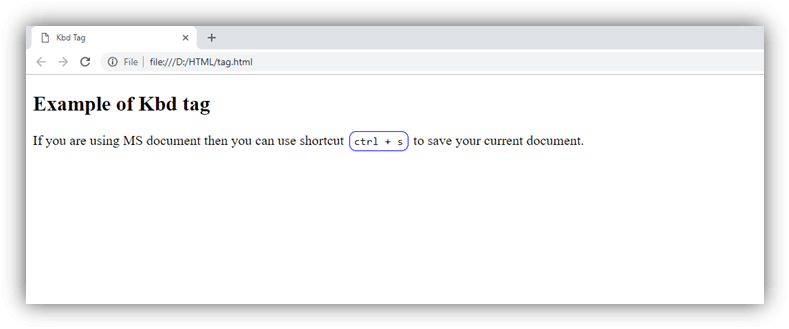
<p>If you are using MS document then you can use shortcut <kbd>ctrl + s</kbd> to save your current document. </p>
</body>
</html>
Output:
Attribute
Tag-specific attribute
The <kbd> tag does not include any specific attribute.
Global attribute
The <kbd> tag supports the global attributes in HTML
Event attribute
The <kbd> tag supports the event attributes in HTML