HTML <mark> tag is used to highlight the some text part inside of another element such as paragraph, for reference or any notation purpose.
This is a newly added tag and introduced in HTML5.
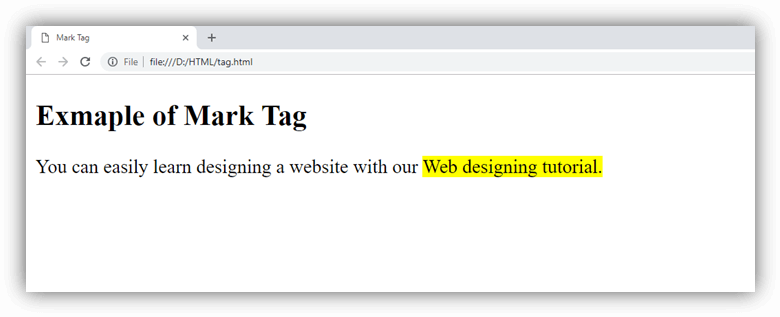
In most of the browser, the text contained with <mark> tag renders with the yellow background, but it can be changed using CSS background-color property.
Syntax:
<mark>write your content here....</mark> Following are some specifications about the HTML <mark> tag
| Display | Inline |
| Start tag/End tag | Both Start and End tag |
| Usage | Semantic and textual |
Example
<!DOCTYPE html>
<html>
<head>
    <title>Mark Tag</title>
</head>
<body>
 <h2>Exmaple of Mark Tag</h2>
 <p>You can easily learn designing a website with our <mark>Web designing tutorial. </mark></p>
</html>
Output:
Attribute:
Global attribute:
The <mark > tag supports the global attributes in HTML
Event attribute:
The <mark> tag supports the event attributes in HTML.