HTML <object> tag is used to embed multimedia files on webpage. The <object> tag can include multimedia files such as video, audio, image, PDF, Java Applets, or another page on your page.
HTML <param> tag also used with <object> tag to pass parameters to plugin which has been included with <object> tag.
If you insert text between the <object> and </object> tags, then it will only be displayed if the browser does not support the <object> tag.
Syntax:
<object data="" type=""></object> Following are some specifications about the HTML <object > tag
| Display | Inline |
| Start tag/End tag | Both Start and End tag |
| Usage | Embed external resource |
Example
Embedding a Video:
<!DOCTYPE html>
<html>
<head>
<title>Obejct Tag</title>
</head>
<body>
 <h2>Example of Object tag</h2>
 <object height="250" width="500" data="https://www.youtube.com/embed/O5hShUO6wxs"></object>
</body>
</html>
Output:

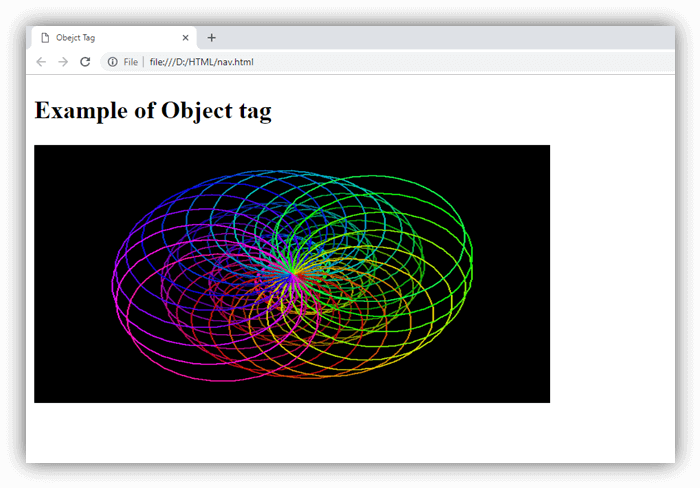
Embedding a gif image:
<!DOCTYPE html>
<html>
<head>
<title>Obejct Tag</title>
</head>
<body>
 <h2>Example of Object tag</h2>
 <object height="250" width="500" data="circle.gif">Sorry!,Your browser does not support</object>
</body>
</html>
Output:
Attribute:
Tag-specific attributes:
| Attribute | Value | Description |
|---|---|---|
| data | URL | It specifies the address of the resource. |
| type | content_type | It determines the content type of the resource specified by data. |
| archive | URL | It specifies the space-separated list of URL’s for archives of resources for the object. (Not supported in HTML5). |
| border | pixels | It sets the width of the border around the <object> (Not supported in HTML5). |
| classid | URL | It specifies the URL for the object implementation. (Not supported in HTML5). |
| codebase | URL | It specifies the base path where to find the code for the object. (Not supported in HTML5). |
| form | form_id It | specifies the form element that the object element is associated with. |
| height | pixels | It defines the height of the object. |
| width | pixels | It determines the width of the object. |
| typemustmatch | boolean | It specifies that resource should be embedded if type attribute matches with the actual content type of the resources provided on the data attribute. |
| name | name | It defines the name for the object. |
Global attribute:
The <object > tag supports the global attributes in HTML
Event attribute:
The <object > tag supports the event attributes in HTML.