HTML <output> tag is used to display the result of some calculation (performed by JavaScript) or the outcome of a user action (such as Input data into a form element).
The <output> tag is a newly added tag and was introduced in HTML5.
Syntax
<output>......</output> Following are some specifications about the HTML <output> tag
| Display | Inline |
| Start tag/End tag | Both Start and End tag |
| Usage | Forms and Input |
Example
<!DOCTYPE html>
<html>
<head>
<title>Output Tag</title>
</head>
<body>
 <p>Calculate the Sum of the two Numbers</p>
 <form oninput="res.value=parseInt(a.value)+parseInt(b.value);">
    <label>Enter First Value.</label><br>
    <input type="number" name="a" value=""/><br>
    +<br/>
    <label>Enter First Value.</label><br>
    <input type="number" name="b" value=""><br>
    =<br>
    Output is:<output name="res"></output>
 </form>
</body>
</html>
Output:
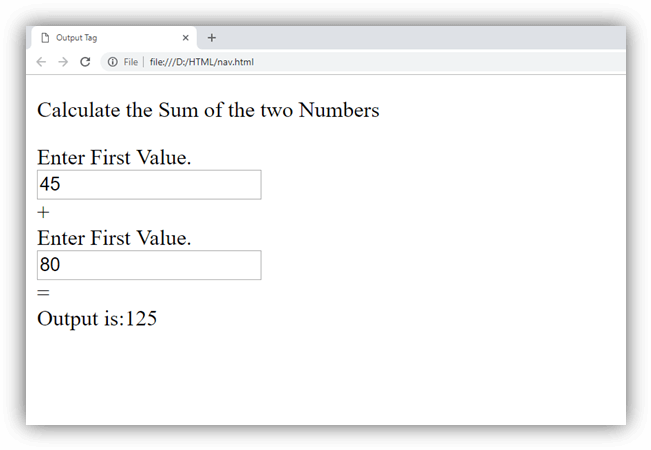
Attribute:
Tag-specific attributes:
| Attribute | Value | Description |
|---|---|---|
| for | element_id | It specifies the list of other element’s ids which indicates the relationship between the result of the calculation and the input elements. |
| form | form_id | It specifies the form element to which this element is associated with. |
| name | name | It defines the name for the output element. |
Global attribute:
HTML <output> tag supports the global attributes in HTML.
Event attribute:
HTML <output> tag supports the event attributes in HTML.