HTML <tt> tag was used to define text in monospaced font or fixed-width fonts so that it would render as teletype, text-only screen, or line printer on the browser.
Note: Do not use HTML <tt> tag, as it is not supported in HTML5, instead of you can use following tags for better use:
- <code>: To represent the computer programming code
- <pre>: To preserve line break and indentation in plain text.
- <kbd>: To represent keyboard input.
- <var>: To represent variables in an equation
- <samp>: To represent the text as sample output.
Syntax
Following are some specifications about the HTML <tt> tag
| Display | Inline |
| Start tag/End tag | Start and End tag |
| Usage | Formatting |
Example
<!DOCTYPE html>
<html>
<head>
<title>HTML tt tag</title>
</head>
<body>
<h2>Example of tt tag</h2>
<p>This is paragraph with default font</p>
<p><tt>This is teletype paragraph</tt></p>
</body>
</html>
Output:
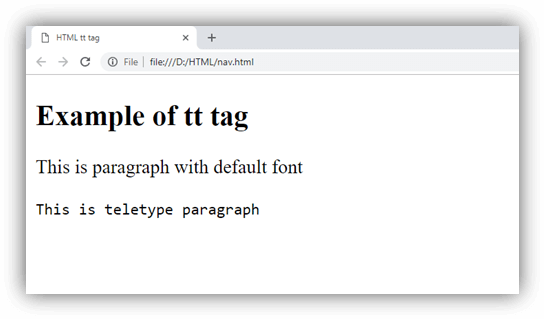
Attribute:
Tag-specific attributes:
The <tt> tag does not contain any specific attribute.